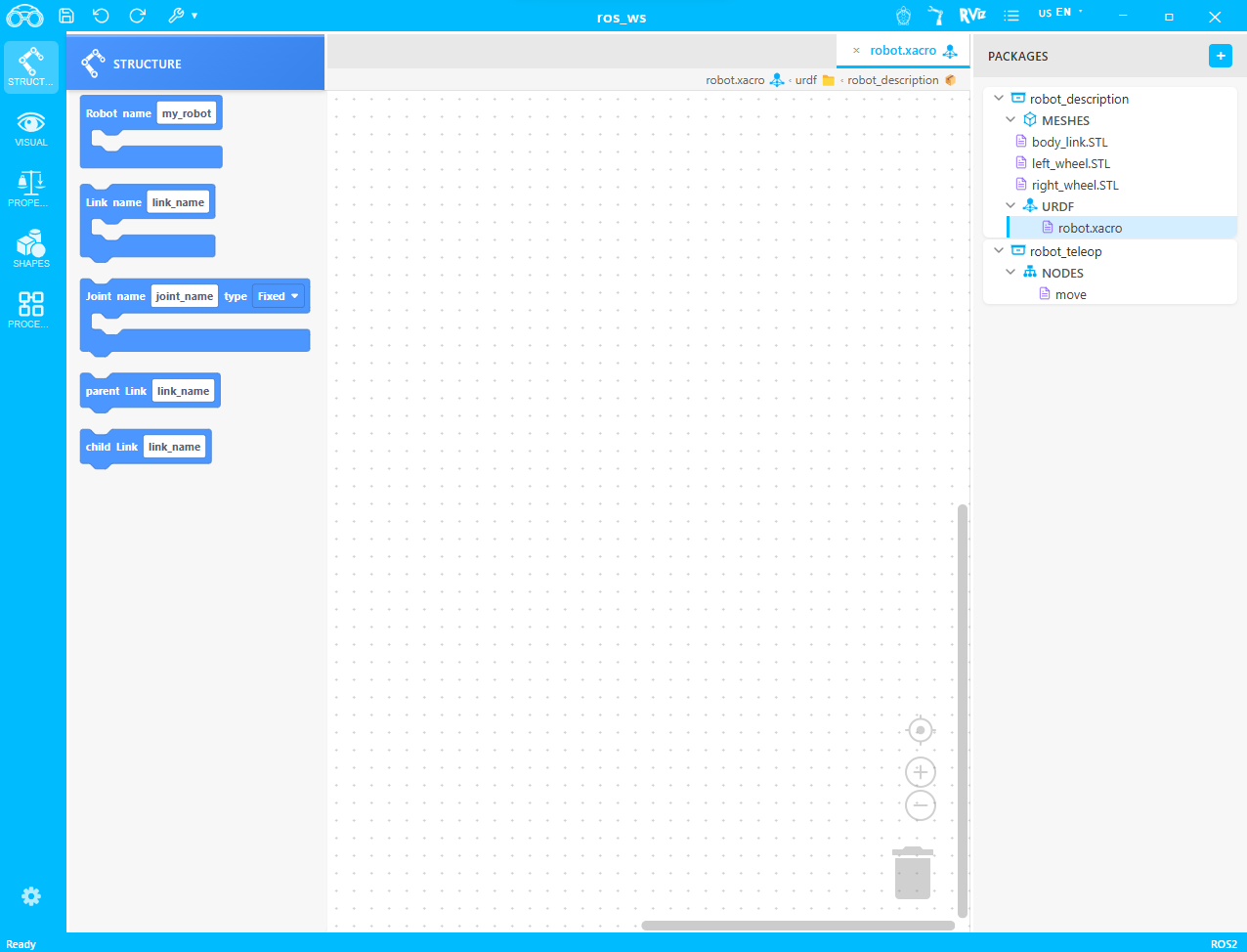
A powerful visual block-based IDE for ROS2 development. Create robot structures, define URDF models, and program nodes with intuitive drag-and-drop blocks.
Everything you need to develop ROS2 robots visually
Drag-and-drop blocks to create robot structures, joints, and links. No coding required for basic setups.
Build complete URDF robot models using visual blocks. Define links, joints, and properties without writing XML.
Create and manage ROS2 packages with an intuitive file explorer. Organize meshes, URDFs, and nodes easily.
Create ROS2 nodes visually with blocks. Define publishers, subscribers, and timers without writing code.
Preview your robot models directly in RViz. Test joint movements and visualize your URDF in real-time.
ROS2 Jazzy is automatically installed via Pixi on first launch. No manual setup required.
Get started with ROS-Blocky in three simple steps
Start a new ROS2 workspace and add packages for your robot description and control nodes.
Use the visual block editor to define your robot's structure, links, joints, and visual elements.
Use built-in buttons to build packages, run nodes, and launch your URDF models directly from the IDE.
Learn how to use ROS Blocky with step-by-step video guides
Install ROS2 Jazzy, create a project and package
Create links, joints, launch RViz and run URDF
Create a publisher and echo topic messages
Create a subscriber and receive messages
Get started with visual robot development today. Free to use.